PhotoCull
2.0.1
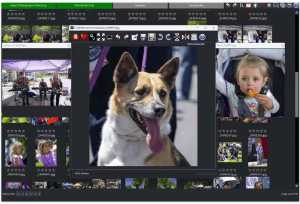
PhotoCull is a Windows application designed from the ground up to help you to deliver your photographs faster to your client. PhotoCull streamlines the culling and finalizing of photographs.
Size
2.8 GBVersion
2.0.1
2.8 GBVersion
2.0.1
Report this app
Description
PhotoCull Overview
PhotoCull is a Windows application designed from the ground up to help you to deliver your photographs faster to your client. PhotoCull streamlines the culling and finalizing of photographs. After a shoot, you can quickly decide which photos to cull or keep for further color processing/refinement. PhotoCull enables you to deliver your photographs faster with intuitive and fast culling, editing features and unique viewing features.
Features of PhotoCull
- Single key to select “keepers” or cull
- Set ratings, and display by rating
- Undo/Redo for most functions
- Thumbnail viewer for raw and image files
- Finds similar photographs and groups them for easy comparison
- EXIF viewer
- Intuitive panning and zooming
- Thumbnail list or strip view
- Multi-photograph alignment. Aligns photographs quickly for comparison
- Quickly zoom in to 100% (and back) on a specific point
- Simple corrective editing
- Non-destructive. Original photograph is not deleted or modified
- Cropping
- Rotating
- Saving as jpg
System Requirements for PhotoCull
RAM: 8 GB
Processor: Dual-core 64-bit CPU (Intel® Core™ i3 / AMD equivalent, 2.0 GHz or faster)
Operating System: Windows 10 and 11
Space Required: 2 GB
What's new
- AI generated tagging: PhotoCull will search for tags in all you photos and let you select the images that contain those tags.
Images