Proxyman for Mac
6.7.0
Capturehttp(s) in a few clicks. Best-in-class Windows app to capture, decrypt, and mock yourhttp(s) requests/ responses with powerful debugging tools.
Size
34.6 MBVersion
6.7.0
34.6 MBVersion
6.7.0
Report this app
Description
Proxyman Overview
Capturehttp(s) in a few clicks. Best-in-class Windows app to capture, decrypt, and mock yourhttp(s) requests/ responses with powerful debugging tools.
Features of Proxyman
- Modern Windows app
Intuitive, thoughtful, built with meticulous attention to detail. - Complete suite of network debugging tools
Dive into the network level to diagnose and fix problems with reliable and powerful tools. - Capturehttp/https Traffic
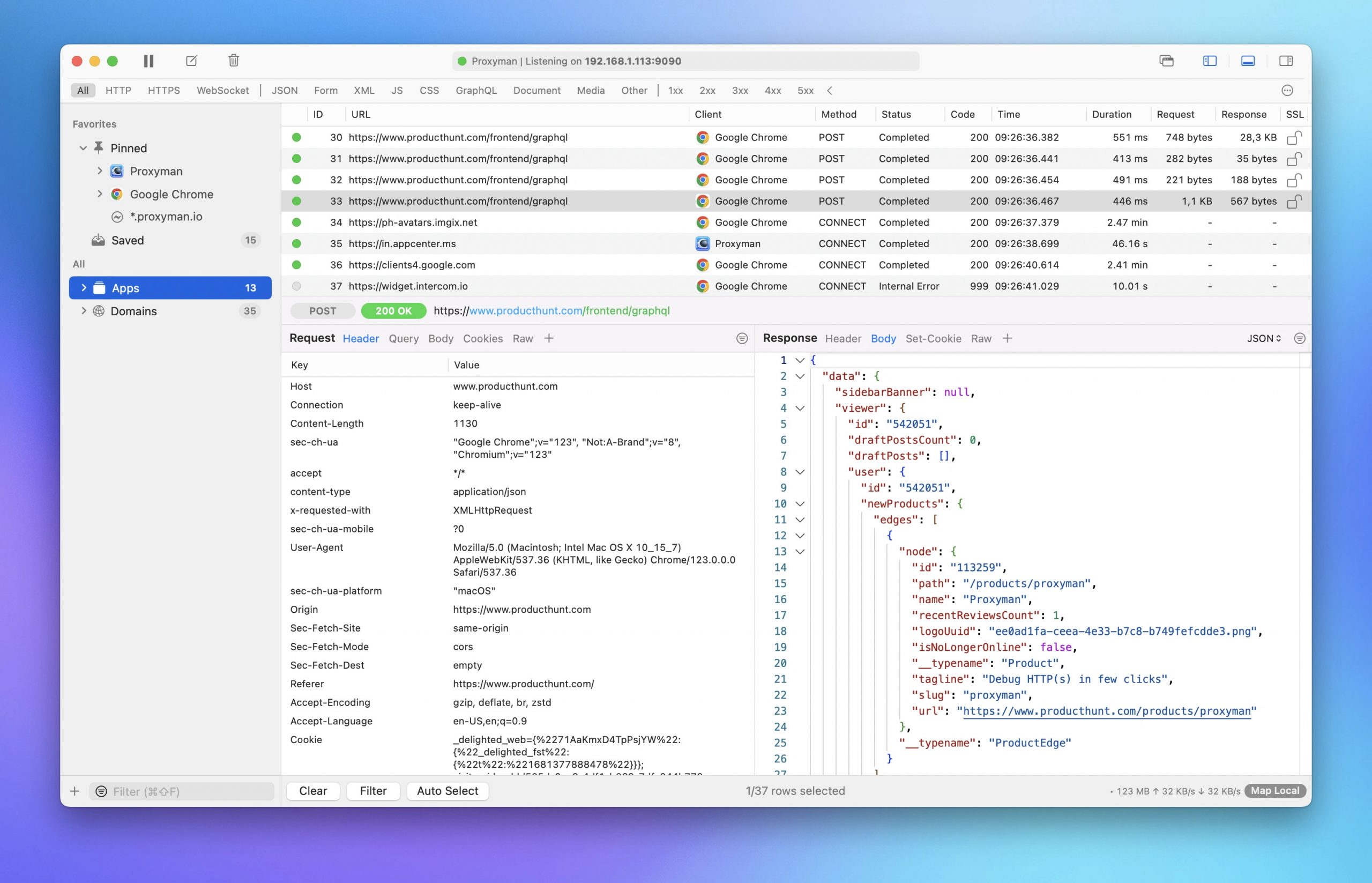
Proxyman acts as a man-in-the-middle server that capture the traffic between your applications and SSL Web Server. With built-in macOS setup, so you can inspect yourhttp/https Request and Responses in plain text with just one click. - Multiple Filters
Narrow down your search with Proxyman’s Multiple Filters. You can combine complex filtered criteria like Protocol, Content-Type, URL, Request Header, Response Header, Body, etc that find exact what you’re looking for. - GraphQL Debugging
Easily debug GraphQL Request by defining a matching rule with a particular GraphQL QueryName. Works with Breakpoint, Map Local, Map Remote, and Scripting Tool. - Breakpoint Tool
Breakpoint Tool helps you to modify Requests/Responses Data on the fly without changing any client code. Supports URL, Headers, Body, Status Code, Raw Message, etc.
System Requirements for Proxyman
RAM: 2 GB
Operating System: macOS 13+
Space Required: 100 MB
What's new
- Official site does not provide any info about changes in this version.
Images