Notepadexe for Mac
1.6.2
Notepad.exe is a native macOS application I've crafted with love to enhance your development experience.
Size
287.7 MBVersion
1.6.2
287.7 MBVersion
1.6.2
Report this app
Description
Notepadexe Overview
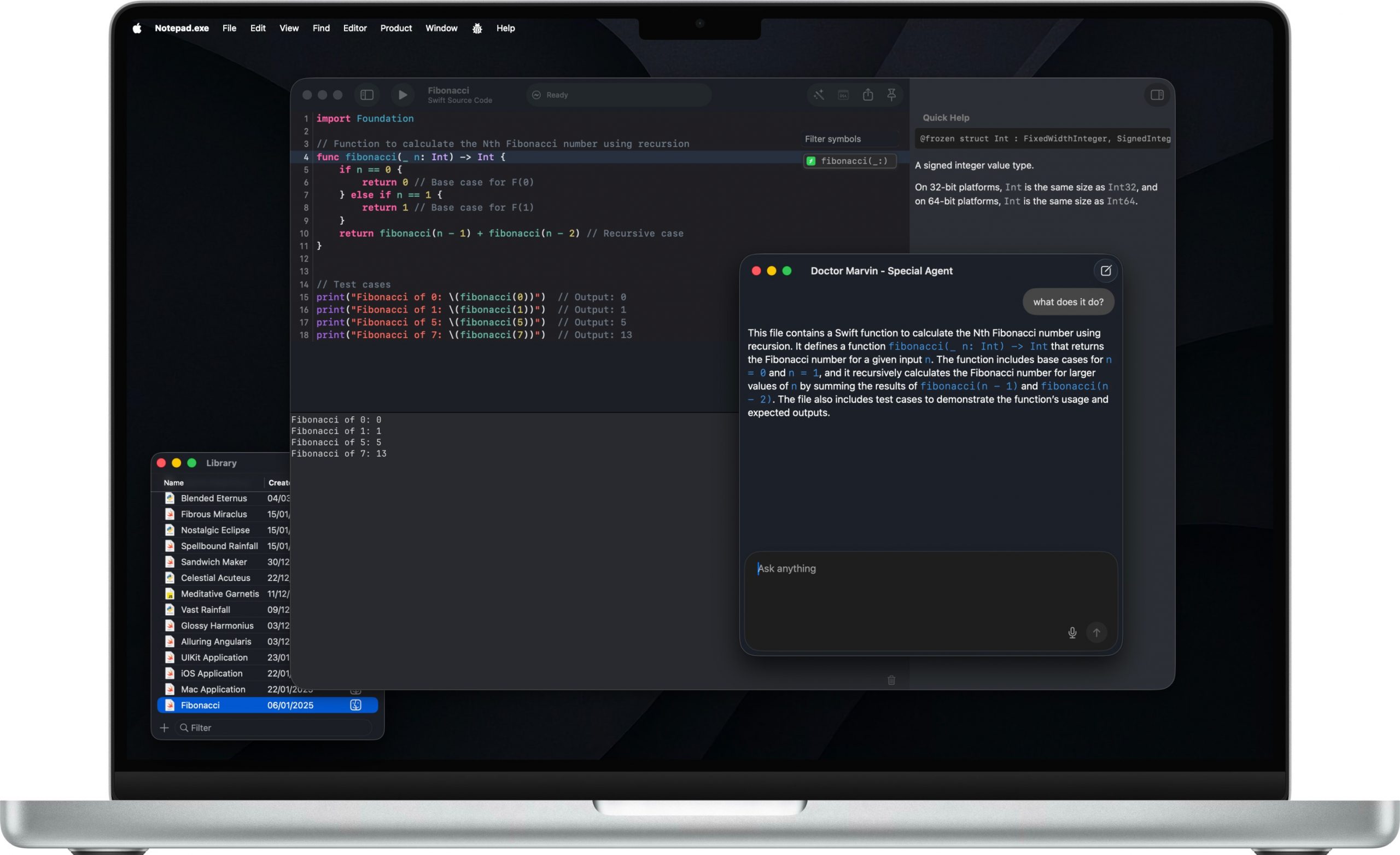
Notepad.exe is a native macOS application I’ve crafted with love to enhance your development experience. Built on a plug-and-play philosophy, it gets you coding instantly with zero setup, then scales with your needs. Whether you’re prototyping Swift apps, experimenting with Python scripts, building iOS apps with automatic simulator support, or exploring new ideas, Notepad.exe provides a streamlined environment that grows with your expertise – from simple snippets to complex projects.
Features of Notepadexe
- Built for how you actually work.
No New Project → Configure → Wait → Finally Code. Just code. Swift for iOS and Mac apps, Python for scripts and automation, JavaScript for web projects — all in one window that launches instantly. - Simple to start. Deep when you need it.
Open a file, hit run, see output — no project wizard, no indexing, no waiting. When the scratch turns serious, settings unlock the advanced setup: custom interpreters, build flags, targets. - AI completions that stay on your Mac.
Local AI processing, privacy-first. Your code never leaves your machine. Completions, refactors, and explanations from a model that runs on-device — not in someone else’s data center. - Run SwiftUI in the Simulator. No project file.
Prototype SwiftUI and UIKit screens. Test APIs. See your app on a real iPhone bezel without ever opening Xcode. - Edit SwiftPM packages. No Xcode required.
Run executables on macOS or Linux — the Linux subsystem installs itself. Recipe and oven, no kitchen remodel. - Add Swift packages without leaving the note.
Add and edit SwiftPM dependencies right in Notepad.exe, then run your project without dropping into Xcode. - Scripts and automation. Zero setup tax.
Run Python with custom interpreter settings and built-in documentation. Organize scripts in the Notes Library. Pip deps via a simple requirements panel. - Everything the big IDEs have. None of the weight.
Native performance, no splash screen, no indexing. Here’s what’s in the box. - Export Mac apps
Build SwiftUI applications with animations and interactive UI. Export a .app when you’re ready.
System Requirements for Notepadexe
RAM: 2 GB
Processor: Apple Silicon or Intel Core processor
Operating System: macOS 14.6 or alter
Space Required: 400 MB
What's new
Images