VanDyke SecureCRT and SecureFX
9.7.1.3815
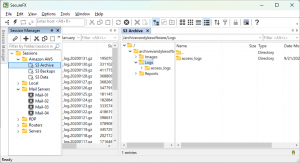
SecureFX is a high-security file transfer client with great flexibility in configuration and transfer protocols. SecureFX includes a command-line utility (SFXCL) for scripting batch jobs to perform secure unattended file transfers using the Secure Shell protocol (SSH).
Size
50.6 MBVersion
9.7.1.3815
50.6 MBVersion
9.7.1.3815
Report this app
Description
VanDyke SecureCRT and SecureFX Overview
SecureFX is a high-security file transfer client with great flexibility in configuration and transfer protocols. SecureFX includes a command-line utility (SFXCL) for scripting batch jobs to perform secure unattended file transfers using the Secure Shell protocol (SSH). SecureFX also supports “relentless” file transfers that automatically reconnect and resume when transfer connections are broken.
Features of VanDyke SecureCRT and SecureFX
- Securely access business applications on UNIX, Linux, or VMS from machines running Windows, Linux, and Mac — employ the rich emulation support for VT100/102/220, TN3270, ANSI, SCO ANSI, Wyse 50/60, Xterm, and Linux console.
- Configure, manage, and organize all your sessions with full control over scrollback, key mappings, colors, fonts, and more — whether you have one or thousands of sessions.
- Access your full array of network devices from one client with SSH (SSH2, SSH1), Telnet, Telnet/TLS, serial, and other protocols.
- Leverage the high-productivity GUI with time-saving capabilities including multi-session launch, tabbed sessions, tab groups, tiled sessions, cloned sessions, a button bar for repeated commands, and mapped keys.
- Depend on the open standard Secure Shell (SSH) protocol for encrypted logon and session data, flexible authentication options, and optional FIPS 140-2 -approved ciphers.
- Automate repetitive tasks in SecureCRT by running scripts using VBScript, JScript, PerlScript, or Python. The script recorder builds your keystrokes into a VBScript or Python script.
- Transfer files between network devices with SFTP, Xmodem, Ymodem, Zmodem, or Kermit. A built-in TFTP server provides additional file transfer flexibility.
- Save steps with the close integration of SecureCRT and the SecureFX® file transfer client, which share sessions and settings that let you run SFTP, FTP, SCP, and FTP/TLS file transfer sessions without reentering passwords.
System Requirements for VanDyke SecureCRT and SecureFX
RAM: 2 GB
Operating System: Windows 7, 8, 8.1, 10 and 11
Space Required: 100 MB
What's new
Images