Home Designer
400.6 MBVersion
27.3.3.12
Description
Home Designer Overview
Home Designer Software is the top-rated 3D interior design, remodeling and home design software. Based on technology from Chief Architect’s professional architectural software, Home Designer is made easy for DIY. Discover why Home Designer is the best home design app to visualize and design your next house project.
Advanced building tools for roofs, foundations and framing make the design process easy. As you draw walls, the program creates a 3D model. When you place a door or window, it is inserted into the wall, and the program automatically updates the framing. When you move walls, the roof and foundation are also updated. Every item you add into the design is included in a list of materials so you can cost-estimate and budget your home project.
Remodeling a kitchen or bath? Cabinets are smart objects that snap, bump and form to walls. You will find a large selection of cabinet types. Quickly change colors and styles with the Material Painter to visualize design options.
Features of Home Designer
- 3D Rendering & Design
Home Designer makes it easy to see your designs in 3D before you build or remodel. Visualize your next home project with realistic 3D views, cross-sections, and elevations. - Interior Design
Remodeling an interior, kitchen, or bath? Home Designer can help with smart design tools. Design a 2D floor plan, visualize it in 3D, and price it with a materials takeoff before you remodel. - Automated Building Tools
One of the most powerful features of Home Designer is accurate automatic building tools consistent with the home building industry. - Layout Sheets & Construction Drawings
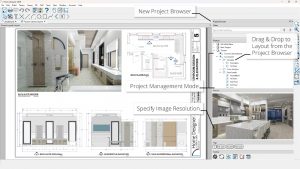
Create scaled construction documents with floor plans, cross-sections, and elevations—everything you might typically need for a contractor or your building department.
System Requirements for Home Designer
RAM: 16 GB
Operating System: Windows 10 and 11
Space Required: 5 GB
What's new
Images