Look at the top toolbar (right below the main menu bar).
Find the button labeled “Sprache” (it has a small flag or language icon).
Click it and select English.
Registration / License entry is here:
In the top menu, click on Einstellungen (Settings).
Then select Logo-Modul aktivieren (Activate Logo Module).
A small window will pop up where you can enter your Lizenzcode (license key).
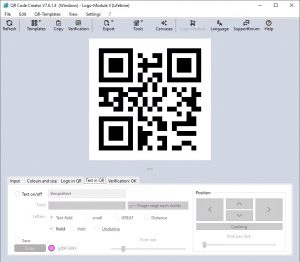





Look at the top toolbar (right below the main menu bar).
Find the button labeled “Sprache” (it has a small flag or language icon).
Click it and select English.
Registration / License entry is here:
In the top menu, click on Einstellungen (Settings).
Then select Logo-Modul aktivieren (Activate Logo Module).
A small window will pop up where you can enter your Lizenzcode (license key).