Net Eagle
3.0.1
The ultimate network diagnostics toolkit for IT professionals. Consolidate network discovery, packet capture, SSH terminal, security inspection, and connectivity diagnostics into one powerful, modern interface.
Size
570.2 MBVersion
3.0.1
570.2 MBVersion
3.0.1
Report this app
Description
Net Eagle Overview
The ultimate network diagnostics toolkit for IT professionals. Consolidate network discovery, packet capture, SSH terminal, security inspection, and connectivity diagnostics into one powerful, modern interface.
Features of Net Eagle
- Powerful Features
Everything you need for professional network diagnostics in one application - Network Discovery & Scanning
Scan subnets to discover active hosts, perform port scanning, resolve MAC addresses and hostnames. Generate SVG topology maps and use Wake-on-LAN to remotely power on devices. - Packet Capture & Analysis
Real-time packet capture with BPF filter support, protocol color-coding, hex view inspection, and export to PCAP (Wireshark compatible) or CSV formats. - SSH Terminal
Full-featured SSH terminal with password and private-key authentication, host key verification, and saved connection profiles for quick access to remote systems. - Security & Inspection
TLS/SSL certificate inspection, email security record lookups (MX, SPF, DMARC, DKIM), and HTTP client with full header visibility for security analysis. - Connectivity Diagnostics
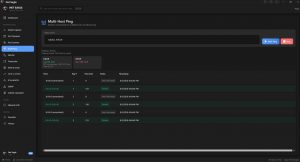
Multi-host ping monitoring, visual traceroute with hop-by-hop timing, DNS lookups for all record types, and Netstat view with process information. - Modern Interface
Clean, tab-based design with MahApps.Metro framework. Dark and light themes with customizable accent colors. Built for Windows 10/11 (x86 and x64).
System Requirements for Net Eagle
RAM: 2 GB
Operating System: Windows 10 and 11
Space Required: 1.2 GB
What's new
- New Theme and UI/UX with modern Dashboard
- SFTP now direct from the app download/upload files
- SNMP
- IPWhois also lookup
- Fixed bugs for the Subnet Calculator and enhanced features
- Fixed the ui and the port scanner warning limitation to avoid freezing.
- Network host discovery and port scanning added subnets
- Live packet capture with BPF filters and PCAP export
- New SSH terminal with key auth and host key verification profile saving and master key encryption
- Multi-host ping monitoring
- Traceroute visualization enhanced to see the latency
- DNS record lookup
- TLS/SSL certificate inspection
- Email security record checker (MX, SPF, DMARC, DKIM)
- HTTP request client
- Netstat connection viewer
- Wake-on-LAN
- Network topology map generation with export
Images